
At first sight, the living room appears immaculate.
The cushions are fluffed, the coffee table has been polished and a candle is still giving off a trace of warmth. You could welcome anyone in without feeling remotely self-conscious. But then a friend picks up the TV remote, absent-mindedly touches it to their lips while they think, and you get a small, hard-to-place feeling of discomfort.
I experienced exactly that while visiting a doctor who is particularly conscious of germs. Laughing, they said: “That thing is basically a communal toothbrush.” Looking at the slightly sticky plastic gadget in my hand, I suddenly pictured the past week: late-night Netflix and greasy crisps, a child with a runny nose, and a visitor fresh off the Tube.
From that point on, the spotless living room no longer seemed quite so clean. The real dirt was the kind you cannot see.
The dirtiest item in the living room is not what you expect
If you drop something on the living-room floor, you may blow on it, give it a fast wipe and carry on. After all, the floor is where dirt collects, isn’t it? We vacuum and mop it, worry about paw prints and pet hair, de-lint the sofa and make the coffee table gleam. Meanwhile, the remote control sits quietly in place, moving from one hand to another almost unnoticed.
Yet this small plastic rectangle is handled more often than nearly anything else in the room. It meets greasy fingers, sweaty palms and people pausing a film halfway through a sneeze. When we are ill on the sofa with a blanket and a box of tissues, the remote is usually within reach the entire time. It takes very little effort to imagine what can accumulate on it.
Research supports that instinct. A number of hygiene studies have shown that TV remotes may carry more bacteria than toilet handles, light switches or door knobs. One US survey of household items detected coliform bacteria on more than half of the remote controls examined. Coliforms essentially suggest that “this surface has seen a bit of faecal life somewhere along the way.” It sounds alarming, but the pathway is remarkably mundane: toilet, hands, phone, then remote.
We tend not to clean a remote because it appears harmless. There may be no crumbs or visible dirt, only a slightly dulled sheen from regular use. We are naturally inclined to spot obvious grime while overlooking objects that look clean and still work perfectly. So the remote goes into a neat tray or is lined up on the coffee table, the room is declared finished and we feel rather pleased with ourselves. But in the narrow spaces around its buttons, there can be a whole city of microscopic inhabitants.
In practical terms, this does not mean your remote is a biological hazard waiting to attack. Most bacteria found on household surfaces will not make a healthy adult seriously unwell. The concern is less obvious than that. For babies, older family members and people with asthma, allergies or reduced immunity, routine germ build-up may be another small factor working against them. In cold and flu season, shared devices can quietly help viruses make their way around a home.
How to clean your TV remote safely in under 30 seconds
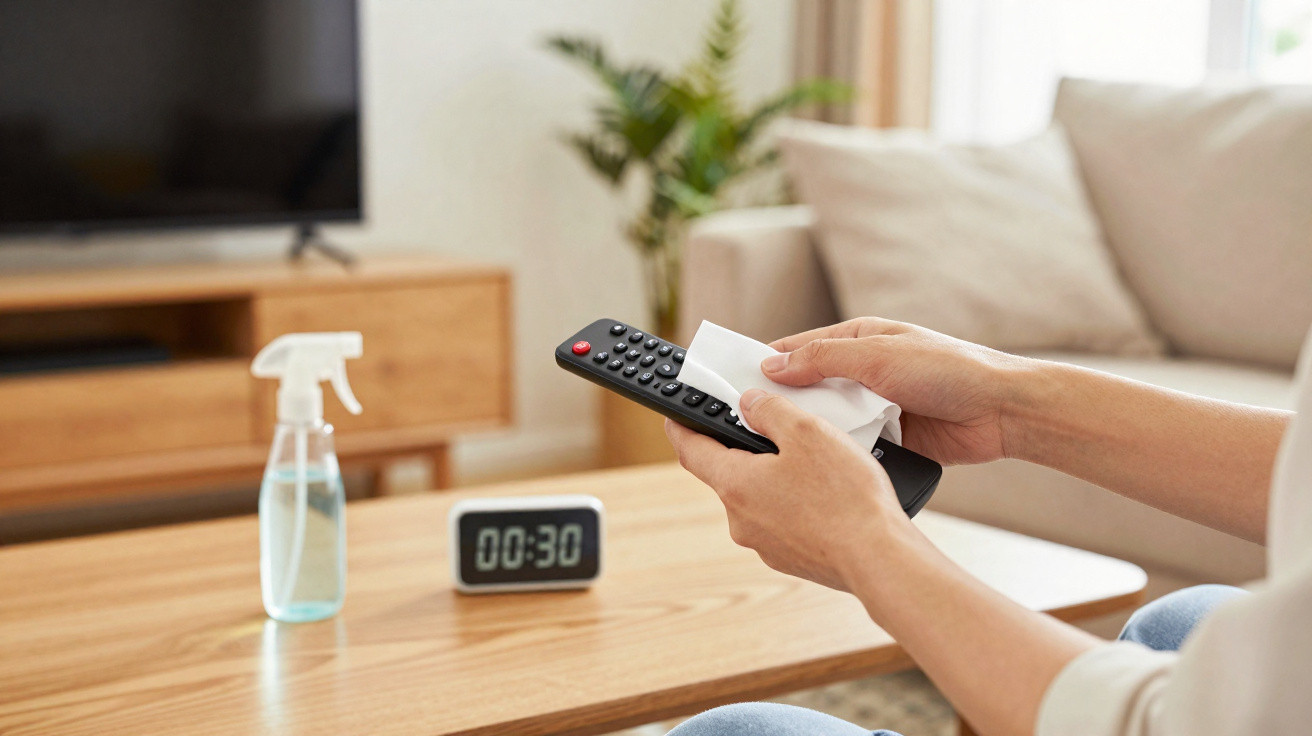
The reassuring part is that this does not require a military-style disinfection operation. All you need is a straightforward 30-second routine that fits naturally into everyday tidying. Take the remote, remove visible dust with a soft cloth or a quick blow, and reach for a pre-moistened disinfectant wipe. It should be damp, not dripping wet.
Hold the remote upside down to prevent liquid from running towards the battery compartment. Start with the back, then clean the sides where hands usually hold it. Finish by gently passing the wipe over the buttons, allowing the cloth to reach slightly into the crevices. There is no need to scrub; you are simply making conditions less welcoming for bacteria and viruses.
After that, set it down and leave it alone. Let it dry in the air on a solid surface for 20–30 seconds. That drying period is when the disinfectant has time to work properly. Once it appears dry, the job is complete: no rinsing, specialist equipment or laboratory-style effort required.
A few common mistakes are easy to avoid. One is using a cloth that is soaking wet or spraying cleaning product straight onto the remote. Moisture can get beneath the buttons, cause a short circuit or gradually corrode the contacts. Another is reaching for neat bleach or powerful kitchen degreasers, which can be too abrasive and may discolour the plastic or remove the button markings.
Let’s be honest: nobody genuinely does this every day. That is perfectly fine. Cleaning it twice a week when it is being heavily used, or once someone in the household has been ill, can already make a meaningful difference. If young children chew remotes as though they are teething toys, wipe them quickly more often, choosing gentler products suitable for surfaces that little mouths may encounter.
Another understated error is the habit of polishing without disinfecting. Window cleaner and dry microfibre cloths work brilliantly on fingerprints but do very little for microbes. The remote looks clean, our brains mark the task as complete, and we move on. To reduce germs, use an alcohol-based wipe (at least 60–70% alcohol) or a disinfectant product marked as appropriate for electronics.
Some people feel unexpectedly emotional about altering their living-room routines. One reader told me:
“I grew up in a house where the remote was almost sacred. My dad would shout if anyone misplaced it, but we never once wiped it down. Cleaning it now feels like quietly rewriting the rules of home.”
That is the subtle force of these small actions. You are not merely removing bacteria; you are quietly reconsidering what “clean” means in a room where we unwind, eat snacks, disagree about what to watch and fall asleep together. To make it effortless, use this brief mental checklist while you tidy:
- Pick up the remote, check it quickly and shake out any crumbs if necessary.
- Clean the back, sides and then the buttons with a disinfectant wipe.
- Leave it to air-dry for 20–30 seconds before it is picked up again.
Why this small TV remote habit matters more than it seems
Spending half a minute cleaning a remote may not sound especially significant. It is certainly less dramatic than deep-cleaning a bathroom or steam-cleaning a mattress. However, the remote sits at the meeting point of daily life: hands, snacks, coughs and late-night scrolling. That makes it an unobtrusive collection point for everything we have touched during the day, as well as every person who has passed through the room.
Everyone knows someone who picks up the remote, then their phone, then touches their face without noticing. On a hectic evening, that sequence can happen dozens of times. Reducing germs even slightly at the beginning of that chain can carry through the evening: fewer opportunities for something to reach your eyes, nose or mouth, and fewer germs passing between visitors. It is not a miracle solution, but it is one fewer open doorway.
At a deeper level, this practice means paying attention to what we normally overlook. The objects that fade into the background are often the ones that influence our comfort most. By deciding that the remote is worth thirty seconds of attention, you are saying that this room is not simply there to look good; it is for wellbeing, naps, winter colds and big family film nights.
On days when everything else feels beyond your control, it can be a surprisingly stabilising action. One object, two wipes, half a minute. A small part of the world becomes distinctly, quietly better. Over time, that sort of care builds up in ways that no statistic can entirely measure.
| Key point | Detail | Why it matters to the reader |
|---|---|---|
| The remote is the most contaminated object in the living room | Handled constantly and rarely cleaned, it can collect more bacteria than many other surfaces | It changes how we view the items that deserve regular cleaning |
| 30 seconds really is enough | Simply wipe it with a disinfectant wipe, then allow it to air-dry | It makes the habit realistic, without adding to the mental load |
| A small action, a major quiet effect | Less day-to-day sharing of microbes, especially during virus season | It helps protect the more vulnerable people at home with minimal effort |
FAQ
- How often should I clean my TV remote? In a busy household, once or twice a week is a sensible starting point. During colds, flu or periods when guests are coming and going, an extra quick wipe after heavy use is a worthwhile measure.
- Can I use hand sanitiser on my remote? You can apply a small amount to a soft cloth and wipe the surface, but do not pour it directly onto the remote. Excess liquid can get inside and harm the electronics.
- What’s the safest way to clean a remote around children? Choose alcohol wipes or products labelled safe for electronics, then allow the remote to dry fully before little hands touch it. Avoid strong bleach and heavily fragranced sprays.
- Are hotel remotes really that dirty too? Hotel studies have repeatedly identified high bacterial levels on remotes. Keeping travel-sized disinfectant wipes in your bag is useful for giving one a quick clean when you arrive.
- Can I put my remote in a UV sanitising box? Yes, most ordinary plastic remotes can go into UV sanitising devices intended for phones, provided the manufacturer approves it. Remove visible grime first, however, as UV will not get rid of grease or crumbs.
Comments
No comments yet. Be the first to comment!
Leave a Comment